##News
Writy Is Ready for Second Thoughts.
Most of writing is rewriting, and this release is for that part of the work: the sentence you’re not sure of, the word that won’t come, the paragraph you’d cut if you knew you could have it back. Writy now keeps all of them on the page. Your sheets stay plain Markdown, as always.
Alternatives
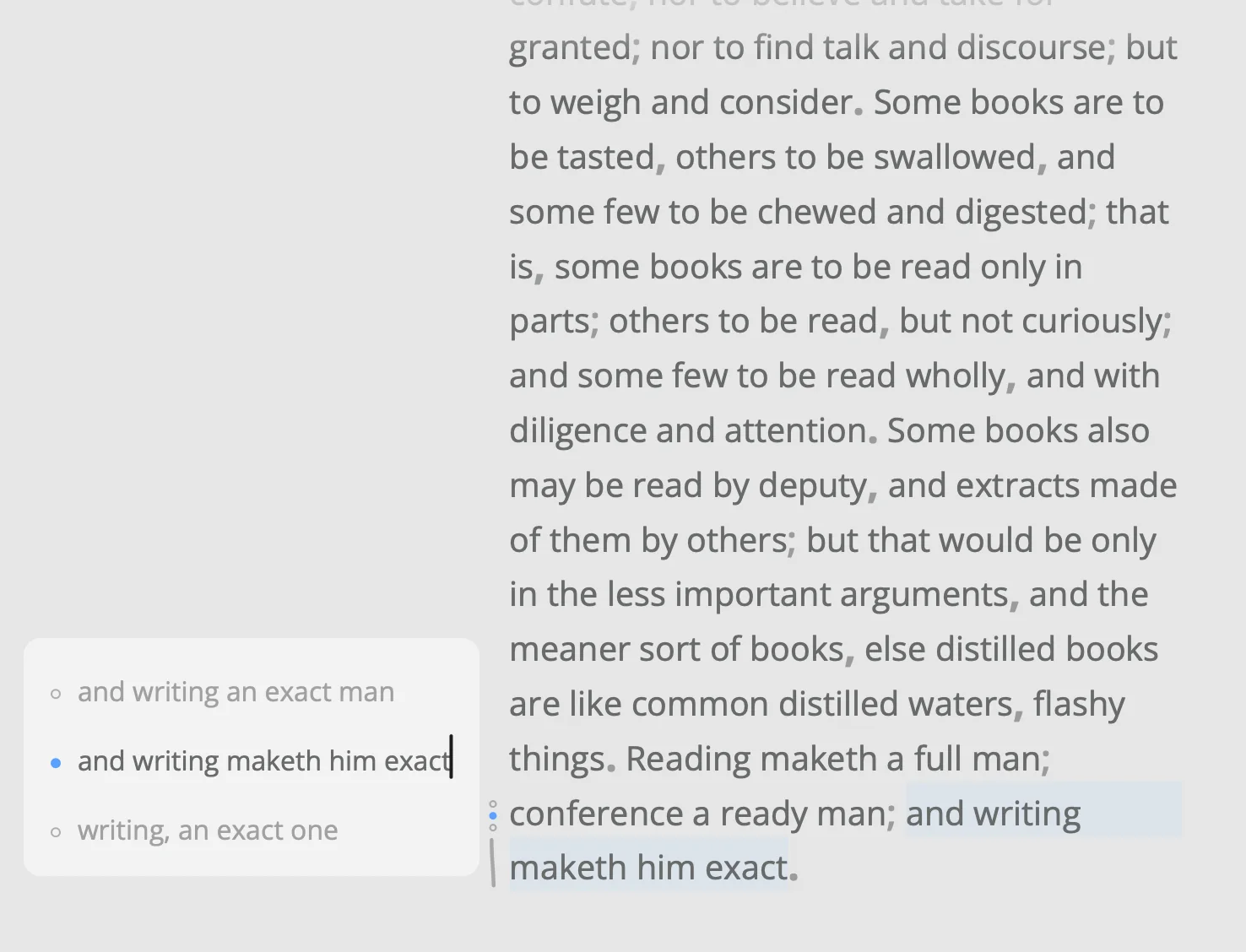
Select a passage and choose Edit ▸ Alternatives… (⌥⌘↩). A panel beside the text keeps other versions of it, the passage as you wrote it first. Write another, and it shows in the passage as you type, so you read it among the sentences around it. With the panel closed, ⌥⌘ and an arrow switch between them right in the text. A quiet mark, a dot for each version, tells you a passage has more than one.
The file holds the one you chose, as ordinary text, so any other app reads the sheet as Writy shows it. The others wait in a comment at the end of the file.
When the word won’t come
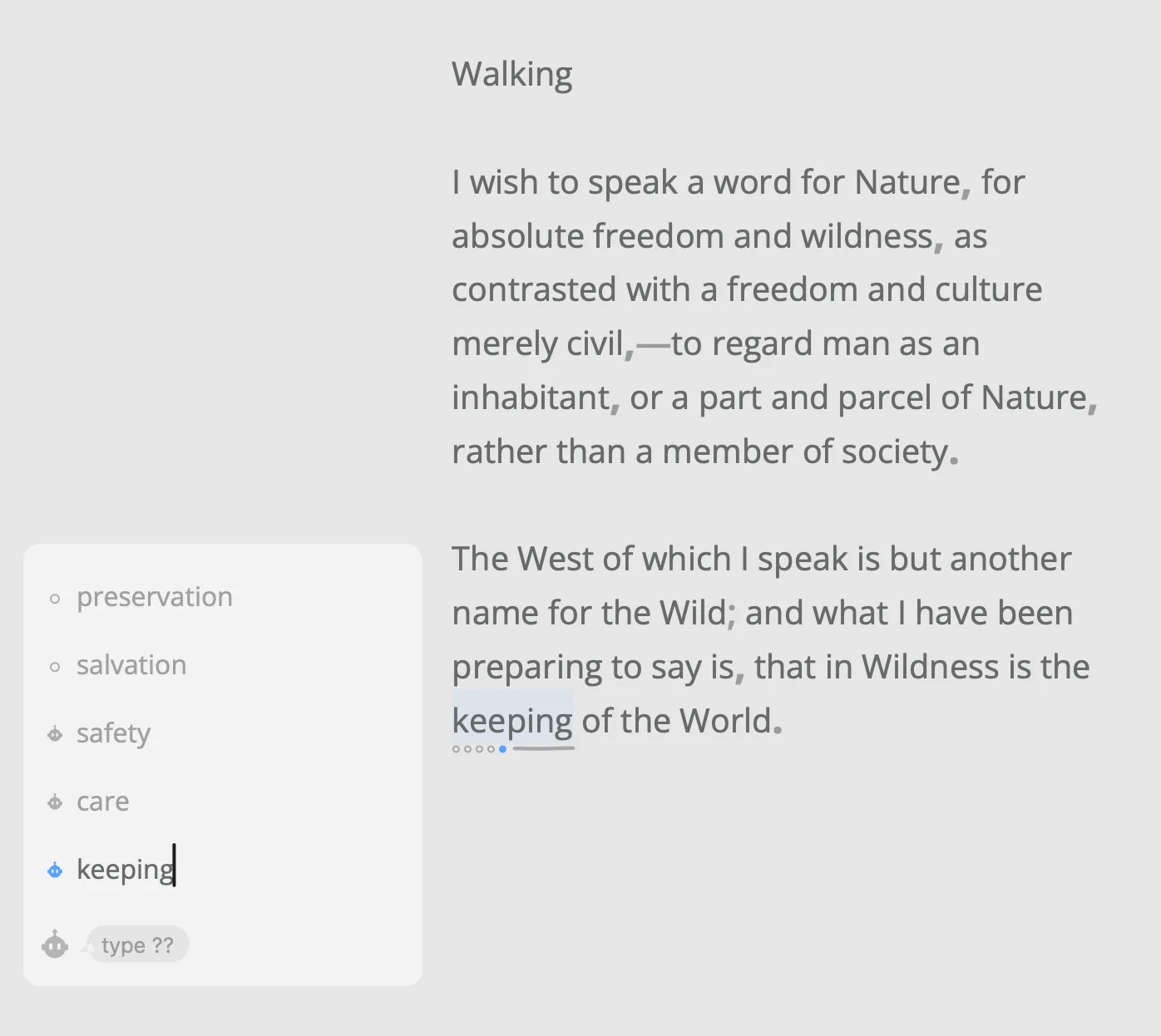
Sometimes the word is right there and won’t come. Type ?? as an alternative, and Apple’s model suggests three other wordings of the passage, read in the text around it. Each comes with a small robot beside it: Writy’s robot, the face of its AI. You’ll find it in the editor’s bottom-left corner too, as Writy Assistant: Suggest Alternatives for what you’ve selected, Proofread and Rewrite for the whole sheet.
It works on a Mac with Apple Intelligence, the way Apple’s Writing Tools do: on your Mac or in Apple’s Private Cloud Compute. Nothing goes to a server of ours, and nothing is trained on your writing.
Ghosts
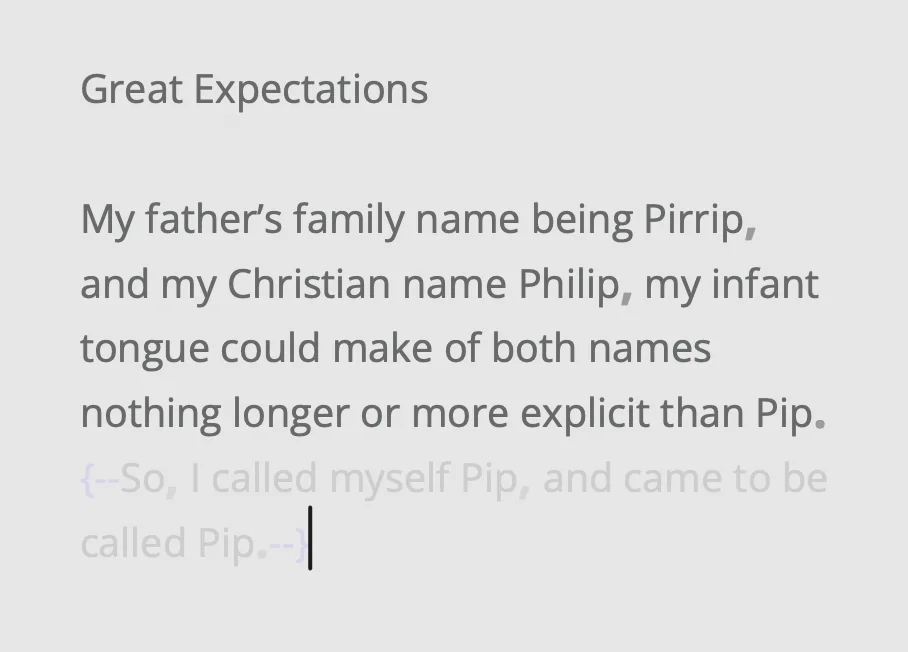
Not sure a sentence earns its place? Select it and choose Edit ▸ Ghost (⇧⌘G). It stays in the sheet, faded, so you can read the page without it before you decide. It’s left out of the word count, your goal, and every export, and the same command brings it back. In the file it’s plain Markdown, {--like this--}, which other editors read too.
That’s the release. Thank you for writing with Writy. Try a sentence two ways this week, and tell us which one won: Help ▸ Send Feedback…